

Caution!
The information on this site is based on WoW Anniversary Classic P1 - When WoW Forever becomes available the data will be progressively updated as new information comes to light.

NKThreat High Contrast Guide - A top performing player wants to push DPS as close as possible to the edge while reliably being behind it. That way you are providing the maximum amount of DPS possible. Making sure you are below that line is extremely important and you need tools to help you maintain that line. This guide goes over how to setup NKThreat to give you maximum awareness in combat.
Instructions
0. Write /nkthreat in your chat box in game to bring up addon settings.
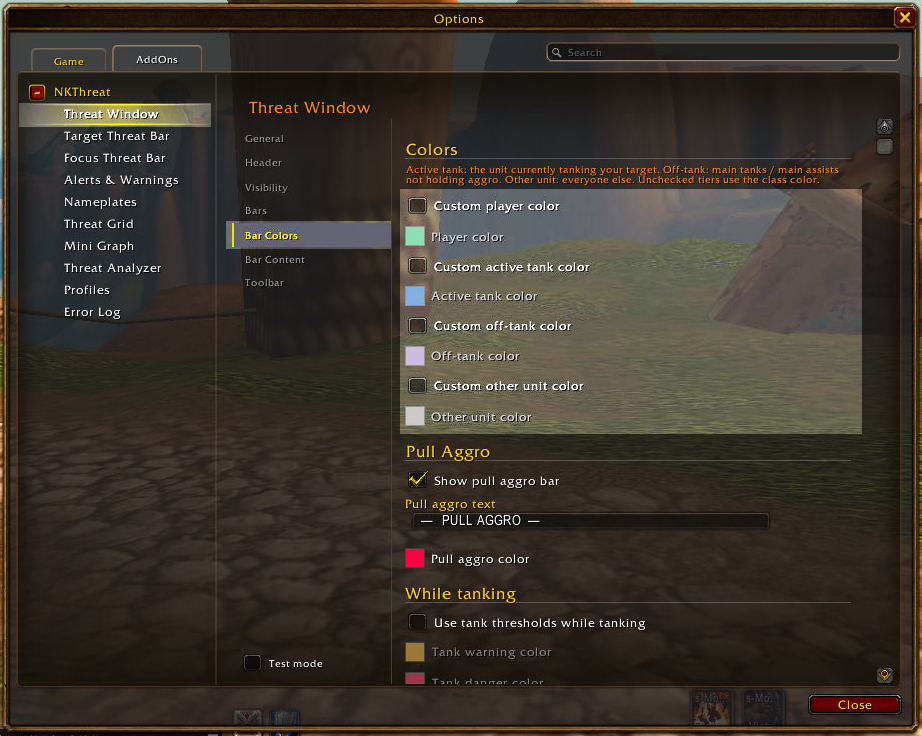
1. Navigate to the "Threat Window" section then go to "Bar Colors".
2. De-select all options under colors.
3. This is to enable class colors.
Left click and press Open image in new tab for a larger image
Instructions
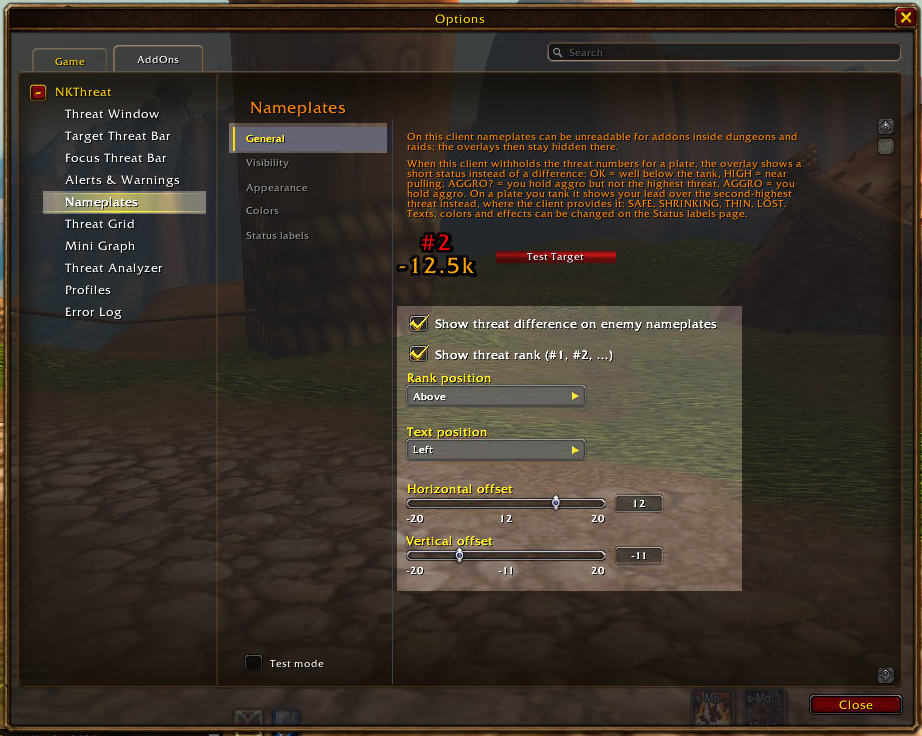
1. Now navigate to "Nameplates" and check under "General".
2. Here you want to enable both "Show threat difference" and "Show threat rank".
3. The rest of the settings shows recommended settings but are not super important to be exact, pick what feels good to you!
Left click and press Open image in new tab for a larger image
Instructions
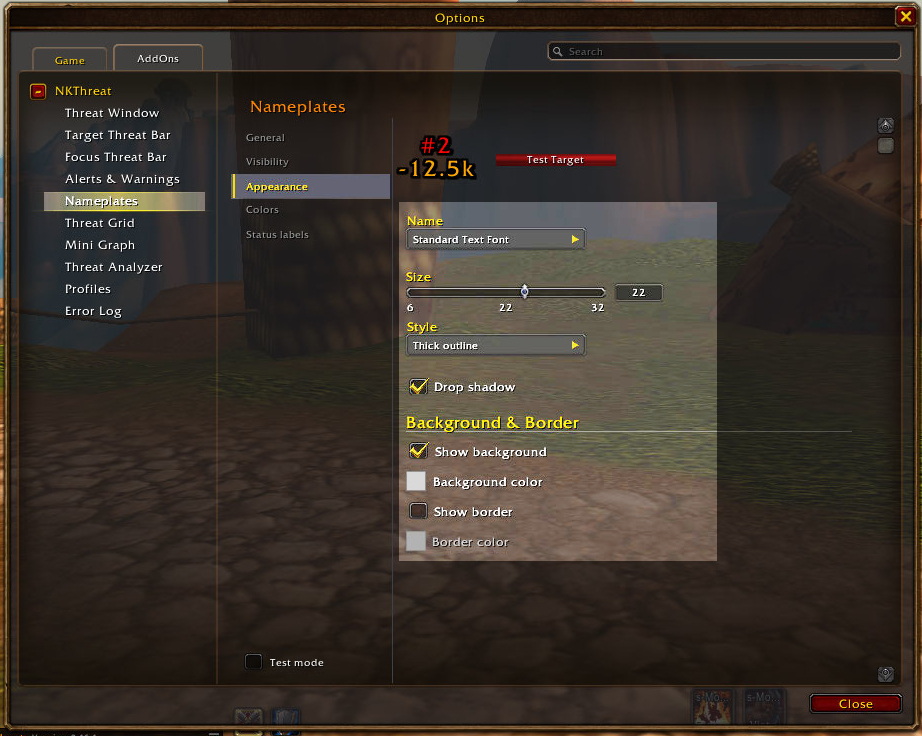
1. Now stay in the "Nameplates" section and go to Appearance.
2. Here you want to increase the size until its larg enough to be obvious.
3. Set Style to "Thick outline".
4. Enable "Drop shadow".
5. Enable "Show background".
6. Set Focus: Color to yet another distinctly different color with no transparency.
7. Pick a pattern under "Texture" that can be easily identified, I prefer Checkerboard.
Left click and press Open image in new tab for a larger image
You now have a threat display on your nameplates showing you in real time where you are on threat.
Good luck!
Back to guides